
Export reviewed datafor your declaration.
Prepare reviewed shipment data for NACCS or TradeNet and pass it to your declaration workflow.
Customs Engine 05
Explore an example export
Compare the source PDF with a readable NACCS concept sample or a TradeNet XML example. These fixed examples do not process your documents. The NACCS sample is explanatory text, not an official EDI message, and cannot be submitted.
Calculation Sheet
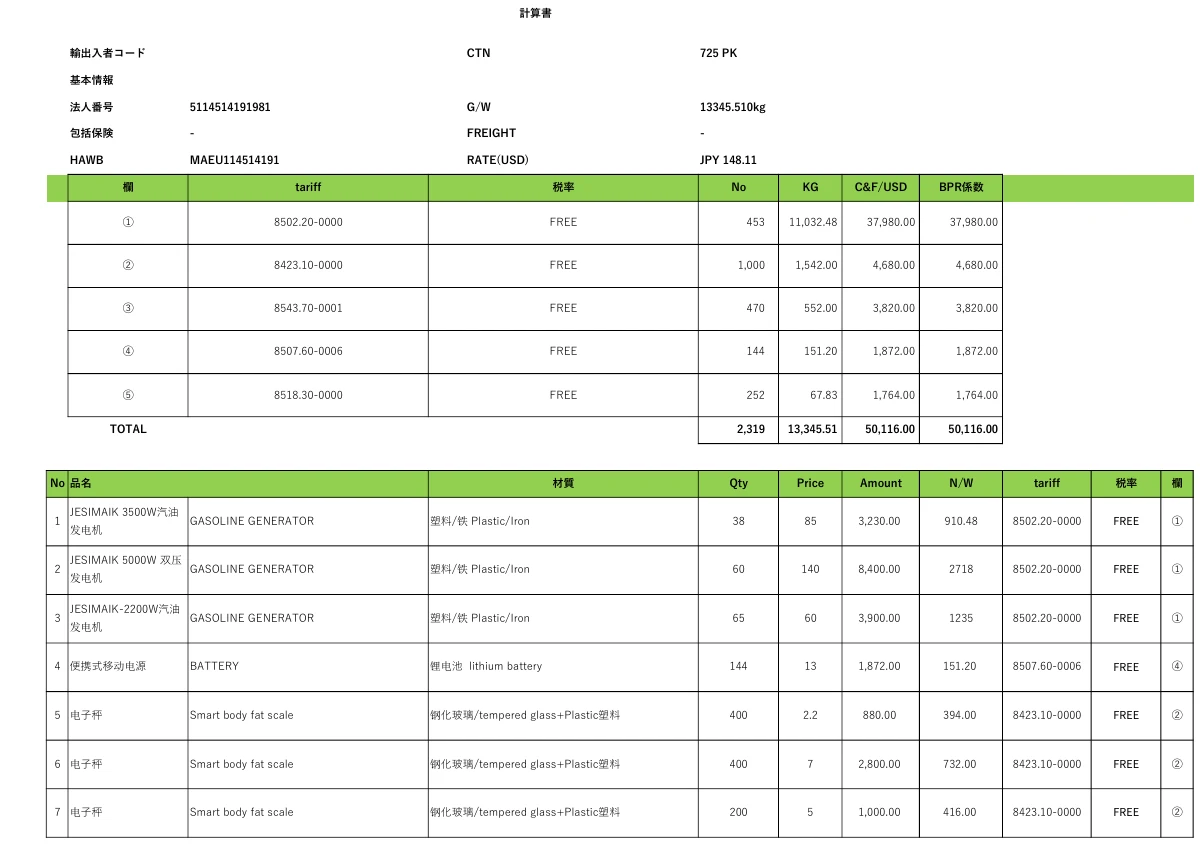
From incoming documents to declaration output
AI-OCR
HS candidates
Error check
NACCS / TradeNet

HUMAN IN THE LOOP
Final review stays with a customs specialist.
Before filing, a specialist checks the output against the original documents, trade terms and applicable procedures.
- Check source documents and trade terms
- Final approval before filing
CUSTOMS ENGINE / 01—05
Keep your customs workflow connected.
View Customs EnginePRICING
Simple pricing plans
14-day free trial · No credit card required
STANDARD
¥10,000 /month, before tax
The three core tools for document extraction, HS suggestions and NACCS output.
- AI OCR
- HS code recommendations
- Automatic NACCS data entry
- All three core tools
PROFESSIONAL
Recommended¥20,000 /month, before tax
The full workflow, from incoming emails to declaration preparation.
- Email Agent
- All core features
- API integration
- Priority support
ENTERPRISE
Contact us
A plan tailored to your requirements and operating environment.
- Custom solutions
- SLA commitments
- On-premises deployment
Subscriptions renew automatically.
USAGE BASED
Usage-based pricing
Pricing is based on the number of declarations processed each month.
| Monthly declarations | Unit price (JPY/case, before tax) | Typical scale |
|---|---|---|
| 0-500 entries | ¥220 | Small |
| 501-2,000 entries | ¥180 | Medium |
| 2,001-5,000 entries | ¥140 | Growth |
| 5,001-10,000 entries | ¥120 | Large |
| 10,001+ entries | ¥100 | XL/Negotiable |